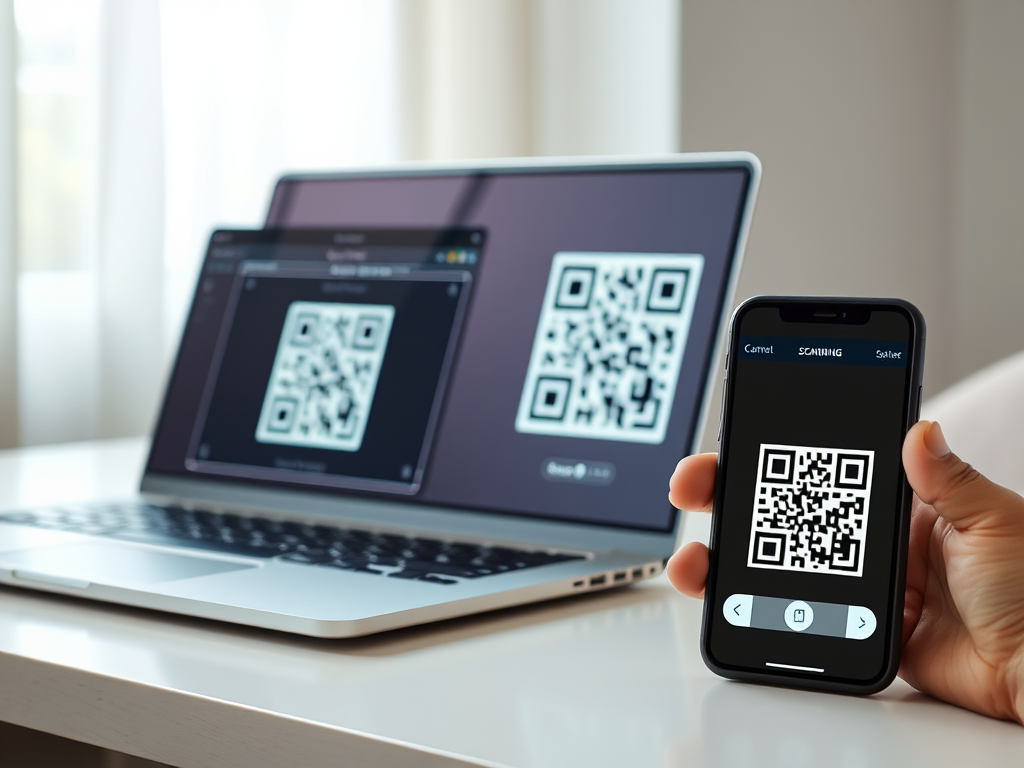
Fastest Free Online QR Code Scanner (2026) – Scan QR Codes Instantly from Camera or Image Upload
In today’s digital-first world, QR codes are everywhere—from restaurant menus and event tickets to payment gateways and website links. If you’re looking for the fastest free online QR code scanner in 2026, you’ve come to the right place. Our QR Code Scanner Online allows you to scan QR codes instantly from your camera. You can also upload an image. No app download is required.
Whether you’re using Android, Windows, macOS, or any modern browser, this QR code reader is powerful and secure. It ensures lightning-fast results without hassle.
What Is a QR Code Scanner Online?
A QR code scanner online is a web-based tool that allows users to decode QR codes directly from their browser. Unlike traditional apps that require installation, an online QR scanner works instantly without downloads or registration.
QR stands for Quick Response. These two-dimensional barcodes can store URLs, text, and contact information. They can also store Wi-Fi credentials, payment links, and more. With a reliable QR scanner online tool, you can access this information safely and instantly.
Why Use a Free Online QR Code Scanner in 2026?
As technology evolves, convenience and speed matter more than ever. Here’s why millions of users prefer a free QR code scanner online:
1. No App Required
You don’t need to download any app from the Google Play Store or Microsoft Store. Just open your browser and scan instantly.
2. Works on Any Device
- Android smartphones
- iPhones
- Windows laptops & PCs
- MacBooks
- Tablets
All you need is a camera or an image file.
3. Lightning-Fast Scanning
Our QR code reader is optimized for 2026 standards—meaning faster decoding, quicker loading times, and instant results.
4. 100% Free
No subscriptions. No hidden charges. Completely free to use.
5. Secure & Private
Your scans are processed securely. No unnecessary data storage.
How to Scan QR Code Online (Step-by-Step Guide)
Using our QR Code Scanner Online is incredibly simple:
Option 1: Scan QR Code from Camera
- Open the online QR scanner in your browser.
- Allow camera access.
- Point your camera at the QR code.
- The code will automatically scan and display results instantly.
Option 2: Upload QR Code Image
- Click on the “Upload” button.
- Select a QR code image from your device.
- The scanner decodes it immediately.
- View or copy the result.
No technical knowledge required!
Features of the Fastest QR Code Scanner Online 2026
⚡ Super-Fast Performance
Built with advanced decoding algorithms for instant results.
🔒 Safe & Secure
No malware, no spyware, and no data leaks.
📷 Camera & Image Support
Scan via webcam or upload screenshots and saved QR images.
🌐 Browser-Based Tool
Works on Chrome, Edge, Firefox, Safari, and more.
📱 Mobile & Desktop Friendly
Fully responsive design for Android and Windows users.
🧾 Supports All QR Types
- Website URLs
- Contact (vCard)
- SMS
- Wi-Fi credentials
- Text messages
- Payment links
- Social media profiles
QR Code Scanner for Android (Without App)
Many Android users search for:
- Free QR code scanner for Android
- Online QR scanner without app
- Fast QR code reader Android
Our web-based scanner eliminates the need to install third-party apps that may contain ads or security risks. Simply open your browser and scan.
This ensures:
- No storage usage
- No background permissions
- No unnecessary notifications
QR Code Scanner for Windows PC
If you’re using a Windows laptop or desktop, scanning QR codes is just as easy. Many users receive QR codes via email, PDFs, or screenshots. Instead of transferring them to a phone, simply upload the image directly.
Benefits for Windows users:
- Quick scanning of saved images
- No additional software installation
- Compatible with webcams
Perfect for professionals, students, and businesses.
Online QR Code Reader vs QR Code Scanner App
| Feature | Online QR Scanner | QR Scanner App |
|---|---|---|
| Installation Required | ❌ No | ✅ Yes |
| Storage Usage | ❌ None | ✅ Takes Space |
| Ads | Minimal/None | Often Many |
| Security Risk | Low | Depends on App |
| Device Compatibility | All Devices | Device-Specific |
In 2026, users prefer web-based tools due to simplicity and privacy.
Is Online QR Code Scanning Safe?
Yes—when you use a trusted platform.
However, always remember:
- Avoid scanning unknown QR codes from suspicious sources.
- Check URLs before clicking.
- Ensure the website uses HTTPS.
Our QR code scanner prioritizes safety and does not store your scanned data.
Who Can Use This QR Code Scanner?
This tool is ideal for:
Students
Scan educational materials, assignments, or exam links.
Businesses
Decode payment QR codes, product information, or event tickets.
Restaurant Owners
Access digital menus instantly.
Online Shoppers
Scan discount codes and promotional QR links.
Travelers
Scan boarding passes and hotel QR confirmations.
SEO Benefits of QR Code Usage in 2026
Businesses increasingly use QR codes for:
- Direct website traffic
- Contactless payments
- Event marketing
- Digital brochures
- Social media engagement
With a fast online QR code scanner, users can instantly connect with your content, improving conversion rates and engagement.
Common Uses of QR Code Scanner Online
Here are some popular use cases:
1. Website Links
Quickly open URLs without typing.
2. Wi-Fi Login
Scan and connect automatically.
3. Payment Systems
UPI, PayPal, and other QR payment methods.
4. Event Check-Ins
Scan tickets digitally.
5. Contact Sharing
Instantly save phone numbers and emails.
Why Our QR Code Scanner Is the Fastest in 2026
Speed matters. Our scanner is optimized with:
- Advanced image recognition
- High-speed decoding engine
- Minimal loading time
- Smart camera focus detection
It processes QR codes in milliseconds.
Frequently Asked Questions (FAQs)
Q1: Is this QR code scanner really free?
Yes, 100% free. No hidden charges.
Q2: Do I need to register?
No registration required.
Q3: Can I scan QR code from screenshot?
Yes, simply upload the screenshot image.
Q4: Does it work on iPhone?
Yes, it works on all modern browsers.
Q5: Is my data stored?
No, your scan results are not stored.
Tips for Better QR Code Scanning
- Ensure proper lighting.
- Avoid blurry images.
- Keep camera steady.
- Use high-resolution QR images.
Future of QR Code Technology (2026 & Beyond)
QR codes are evolving rapidly. In 2026, we see:
- AI-enhanced QR security
- Dynamic QR codes
- Encrypted QR data
- Contactless authentication systems
As QR technology grows, having a reliable online QR code scanner becomes essential.
Why Choose Our QR Code Scanner Online?
✔ Instant scanning
✔ No app required
✔ Free forever
✔ Secure & private
✔ Works on Android & Windows
✔ Upload or camera support
✔ Lightning-fast decoding
If you’re searching for:
- Best QR code scanner online 2026
- Fast free QR code reader
- Scan QR code without app
- QR code scanner for Android and Windows
- Upload QR code image online
You’ve found the perfect solution.
Final Thoughts
QR codes are an essential part of modern digital communication. Whether you’re scanning payment links or accessing websites, you need a fast, secure, and reliable QR code scanner. Decoding event tickets also requires one.
Our Free Online QR Code Scanner 2026 provides exactly that—instant scanning from camera or image upload, without any app installation.
Try it today and experience lightning-fast QR code decoding—anytime, anywhere.
If you’d like, I can also: